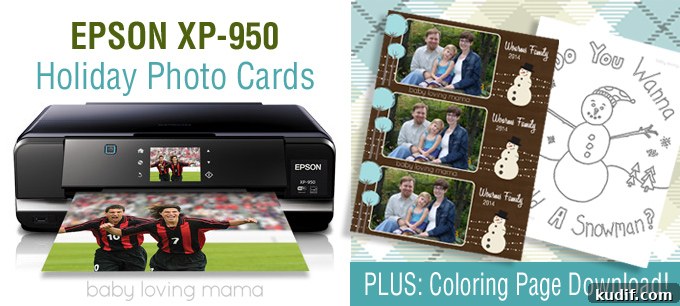
After surviving college and more than a decade of professional graphic design work, my trusty Epson 1280 finally gave out last summer. I was disappointed — we’d pulled many late nights together, and I loved printing 11″ x 17″ layouts. Still, a decade of heavy use is remarkable for any printer. Epson offered an upgrade for review: the Epson XP-950. I put it through its paces and came away very impressed.
The XP-950 is a compact “small-in-one” home printer that uses six individual ink cartridges, which are simple to install. The included software reports remaining ink levels so you can replace only the cartridge that’s low instead of discarding a multi-color pack.
EPSON XP-950
- Professional photo quality — produces stunning borderless photos up to 11″ x 17″ and crisp text with one capable small-in-one printer.
- Easy photo correction — Auto Photo Correction and red-eye removal work with or without a computer.
- Fast — 4″ x 6″ photos can print in as little as 11 seconds.
- Always ready — auto-extend output tray and a dedicated photo tray keep jobs organized.
- Fold-over scan lid — holds originals in place for accurate scanning.
- Wireless printing and scanning — share the printer at home with Wi-Fi Direct support.
- Mobile printing support — Epson Connect enables printing and scanning from smartphones, tablets and more; also compatible with Apple AirPrint and Google Cloud Print.
- Creative projects — rear paper feed accepts specialty paper and you can print directly onto inkjet-printable CDs/DVDs.
- PC-free photo printing — built-in card slots and a 3.5″ touchscreen with gesture navigation make on-printer printing simple.
- Durable photos — prints are smudge-, scratch- and water-resistant for worry-free handling.
- Cost-efficient inks — individual cartridges let you replace only the color that’s depleted.
The XP-950 includes many useful features designed to encourage printing from phones, cameras and memory cards. You can insert a card directly in the printer or print wirelessly from an iPad, iPhone, tablet, smartphone or computer. Setting up the wireless network was easier than I expected, and the adjustable digital display made navigation straightforward.
I printed some test photos right away. A 4″ x 6″ premium glossy print of a Mother’s Day photo came out beautifully. The printer accepts paper via a back-loading tray or a second dedicated paper tray below, so you can keep standard office paper and 4″ x 6″ photo paper loaded simultaneously.
The Epson color correction tools let you use your own software settings or let the printer handle corrections. Test prints matched my monitor closely, and the printer can correct color and remove red-eye directly from files on a memory card, no computer required.
I also tested larger prints for some custom typographic designs I sell. The large print option produced excellent results and was faster than I expected.
The printer includes a few playful functions for families. Under “More Functions” I found a “Coloring Book” option that converts a scanned drawing or a photo from the memory card into a simple black-and-white outline for coloring.
I scanned a winter drawing and the Coloring Book function produced a charming outline with personality — a quick, kid-friendly craft that brightened my daughter’s sick day.
I created a printable snowman coloring page from the scanner output. It’s an easy, low-effort craft that’s perfect for a rainy or sick day.
FREE COLORING PAGE DOWNLOAD
Download the Snowman “Do you wanna build a snowman?” coloring page in PDF format. The printer handled the PDF precisely and produced a clean black-and-white outline ready to color.
IMPROVEMENTS
My main gripe is the split fold in the scan lid. When I open it, the lid feels a little flimsy and I worry it might bend the white backing of the scan bed. I’m not an engineer, so there may be a functional reason for the design, but the feel is a bit unsettling.
Holiday Photo Cards Printed at Home
Epson offers many downloadable templates for home printing through its CreativeZone, including templates for holiday photo cards. Instead of shopping in crowded stores, you can download a PNG or PNG-based template, add your photo and text with simple photo software, and print personalized cards at home.
I made a snowman holiday card by downloading a template, adding our photo and text in Photoshop, and printing with the XP-950. The result was professional-looking and included helpful cut lines.
There are plenty of built-in projects and templates to explore for seasonal cards and crafts, which makes the XP-950 a versatile tool for both everyday printing and special projects.
Need More Help?
For additional guidance, Epson provides support videos and resources to help with setup and troubleshooting.
More About the Epson XP-950 Printer
The Expression Photo XP-950 puts professional-quality photo printing within reach. This wide-format all-in-one uses 6-color inks and a fold-over scan lid that secures originals. It produces borderless photos up to 11″ x 17″ and can print 4″ x 6″ photos quickly. With robust wireless features, a dedicated photo tray, specialty paper support and CD/DVD printing, the XP-950 is designed for hobbyists and small-home studios alike.
Overall, I’m impressed with the features on the Epson XP-950. It’s packed with functionality I use regularly and some fun extras I hadn’t expected. I look forward to seeing if it lasts as long as my previous printer.
BUY IT: ON SALE NOW!
The Epson XP-950 was previously sold at manufacturer pricing and often appears on sale at major retailers. Check retailer listings if you’re considering purchase.
Disclosure: I received a sample for the purpose of review. All thoughts and opinions are my own.